
POS and inventory software in Uganda
Compare point-of-sale software in Uganda using a practical demo checklist for stock, receipts, staff permissions, offline use, backups and total costs.
Businesses to contact
Browse the full boardMatched by the advertised service. These are paid promotions, not recommendations. Confirm services, coverage and availability directly.
3 of 3 matching businesses. Order follows paid board placement.


Kampala
TechPOS helps growing retailers manage inventory, invoicing, customer ledgers, subscriptions, backups, and multi-device sync from one platform.
1,178 views22 link clicksEstimated activity in the last 90 days, not confirmed enquiries or sales.Open linkPhotos and full details

Rukungiri, Uganda
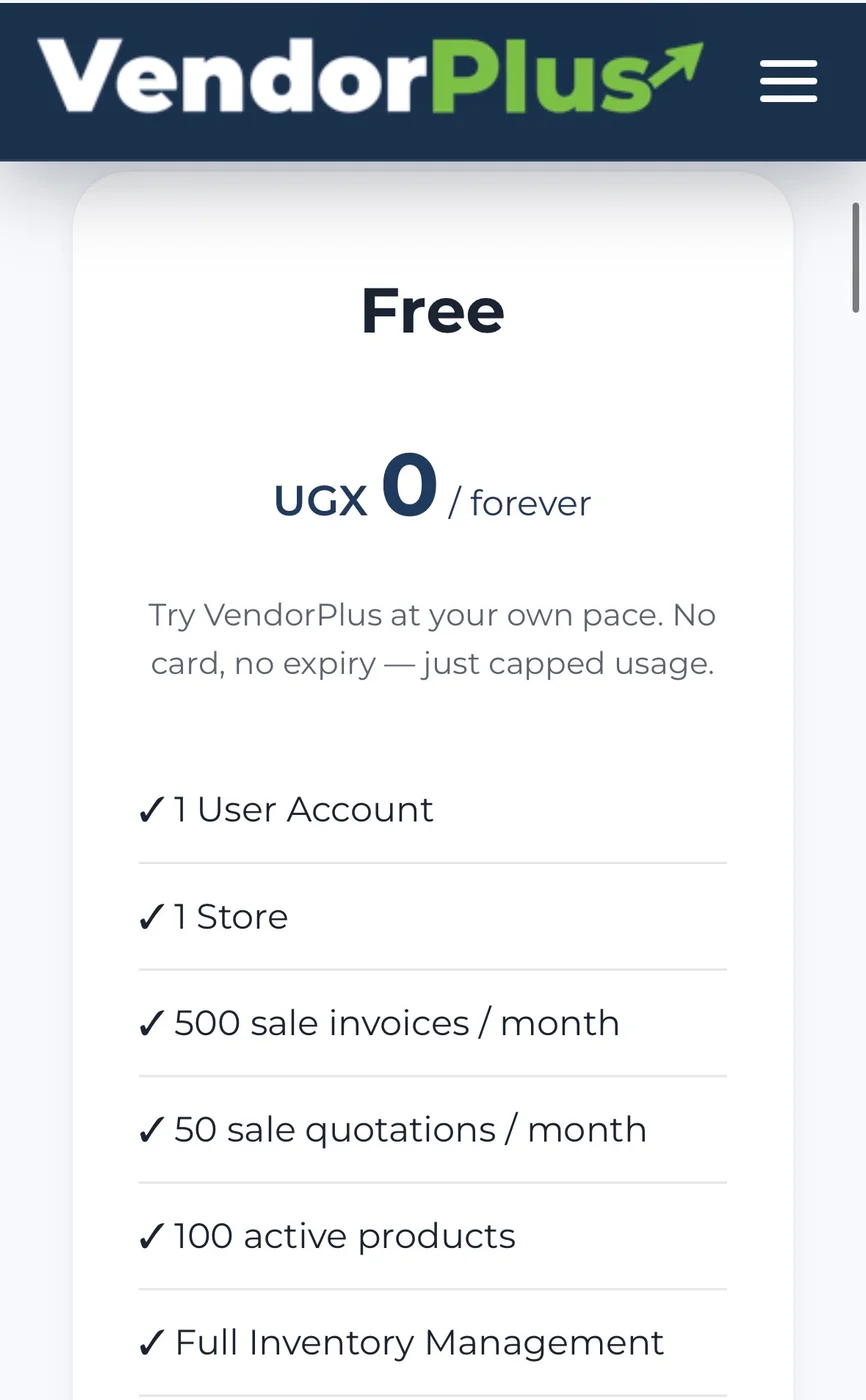
Transform your business with smart Inventory & POS Management. VendorPlus is the complete stock management solution trusted by businesses across Uganda.
50 views1 link clickEstimated activity in the last 90 days, not confirmed enquiries or sales.Chat on WhatsAppPhotos and full details


Kampala
Never lose sales to internet outages. smartPOS Cloud delivers fast offline-first POS, inventory & multi-branch management
60 views1 link clickEstimated activity in the last 90 days, not confirmed enquiries or sales.Open linkPhotos and full detailsCompare the advertised offers
These details come from public posts. Confirm stock, coverage, features and the complete price directly. Placement bids are not service prices. The date shown is when the post was updated, not independent verification of price or availability.
| Business and advertised area | What its post says | Advertised price or quote |
|---|---|---|
| TechqnestPOS | Smart Billing, Inventory, and Cloud SyncKampala | TechPOS helps growing retailers manage inventory, invoicing, customer ledgers, subscriptions, backups, and multi-device sync from one platform. | Ask for a current quoteConfirm the complete price directly.Photos and contact → |
| VendorPlus – Inventory & POS Management SystemRukungiri, Uganda | Transform your business with smart Inventory & POS Management. VendorPlus is the complete stock management solution trusted by businesses across Uganda. | Ask for a current quoteConfirm the complete price directly.Photos and contact → |
| smartPOS Cloud - All-in-One Offline-First ERP & POS SystemKampala | Never lose sales to internet outages. smartPOS Cloud delivers fast offline-first POS, inventory & multi-branch management | No setup feesConfirm the complete price directly.Photos and contact → |
Test a POS with the transactions your business actually makes. Check stock handling, connectivity, costs, support and whether you can export your data.
A shop, restaurant and service business can have different stock and payment workflows. Use this guide to plan a practical demonstration, then contact relevant software advertisers on the board. A promotion is not proof that an app supports a particular integration or regulatory requirement.
Write down the transactions you need to handle
List the products or services you sell, how you receive stock, who operates the till and how you currently record payments. Describe returns, discounts, unpaid balances and multiple selling prices if they are part of your business. Ask the provider to demonstrate those exact cases.
- Cash and any payment methods you currently accept.
- Stock purchases, damaged items, returns and adjustments.
- Staff roles, reports and multiple branches if needed.
- Receipts, customer balances and daily closing records.
Test the system rather than relying on screenshots
Use sample data to create a sale, return an item, receive new stock and review the day’s report. Check which actions require internet and what happens when connectivity is restored. Ask which devices and printers are supported before purchasing hardware.
Test offline sales and mobile-money recording separately
Ask the provider to disconnect a demo device, make a sale and reconnect it. Check which functions remain available, where the record is stored and what happens if two devices update stock while disconnected. An offline-first description is a claim to test, not proof that every workflow works offline.
Ask whether mobile-money payments are entered manually or confirmed through a named integration. Test a pending payment, a failed payment and a refund using a safe demo. A receipt or ledger entry alone is not proof that funds were received.
Check an EFRIS claim with the provider and URA
Ordinary POS receipts and EFRIS invoicing are different functions. URA describes several EFRIS channels, including system-to-system integration. If you need it, ask which exact product and integrator connects to URA, how invoice confirmation is shown and how corrections are handled.
Check current requirements and integration information with URA. None of the directory’s POS posts is treated as accredited or compliant merely because it mentions invoices. Ask for a demonstration and independently check the provider’s evidence before choosing a system.
Compare ownership costs and support
Separate subscription charges from installation, training, hardware, updates and payment-processing fees. Ask who provides support, during which hours, and how you recover access after replacing a device. If compliance or an integration matters, verify its current status with the responsible organisation; do not rely only on the sales description.
- Setup, recurring charges and any per-user or branch fees.
- Hardware, receipt printer and connectivity requirements.
- Training, support response and update arrangements.
- What remains accessible if you stop subscribing.
Check data access and recovery
Request a demonstration of exports and backups. Ask who can change prices, delete transactions or view business reports. Use unique staff accounts where supported and decide who controls the main account. Keep an independent copy of essential business records.
Compare systems on your own requirements
| Option | Suitable for | What to check |
|---|---|---|
| Single-shop setup | One till or a small team. | Simple sales, stock adjustments and daily reports. |
| Multi-branch setup | A business with several selling locations. | Branch stock, permissions and consolidated reporting. |
| Restaurant workflow | Orders handled across a service team. | Order changes, bills and any kitchen workflow. |
| Intermittent connectivity | A business that needs a defined offline workflow. | Exactly what works offline and how changes sync. |
A message you can use
Replace the bracketed details with your own before sharing.
Build an enquiry for your job
Optional. These details stay in your browser; only share them with a provider you choose. Avoid private documents, access codes and medical records.
Sources to check
Common questions
Which POS is best for a Ugandan shop?
There is no single recommendation here. Compare systems against your transactions, stock requirements, devices, connectivity and support needs using a live demonstration.
Do advertised apps automatically support mobile money or EFRIS?
No. Confirm each required integration directly and verify any compliance claim with the responsible organisation before purchasing.
Can I list my software product?
Yes. Explain what it does and who it is for, choose a relevant category, and link to a product page or contact. Posting costs UGX 10,000 once.
Useful free tools
Prepare a quote, make a contact link or check your numbers. No signup or payment.
Free UGX quotation generator Free WhatsApp link and QR generator for UgandaPrepared with AI assistance and checked against the platform’s features and payment rules. General comparison guidance, not provider reviews. How we prepare our guides and handle corrections.